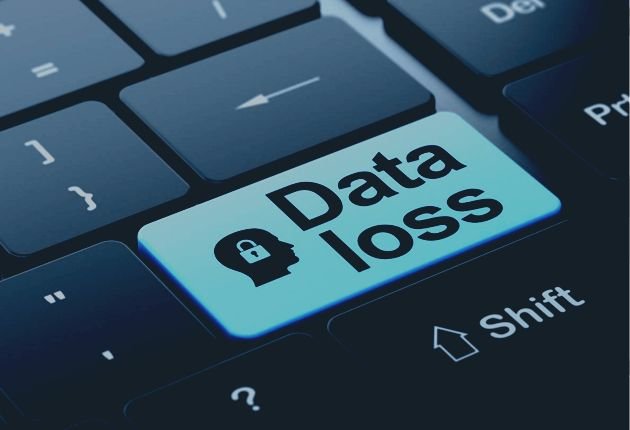
7 Tips for Data Loss from Hard Drives Essential Prevention and Recovery
 By
Introduction
In today’s digital age, data has become one of the most valuable assets for both individuals and businesses. From personal photographs and financial records to crucial work documents and business databases, the dependence on digital storage has grown exponentially. Losing data, whether due to accidental deletion, hardware failure, or malware attacks, can have severe consequences, ranging from minor inconveniences to catastrophic Data Loss. For businesses, data loss can mean financial setbacks, loss of customer trust, and operational disruptions, while for individuals, it can translate into the permanent disappearance of precious memories and important files.
Hard drives remain the backbone of data storage, despite the increasing popularity of cloud services and solid-state drives (SSDs). They store information magnetically on spinning disks, allowing for large amounts of data to be kept in a compact space. However, like any mechanical or electronic device, hard drives are susceptible to failure. Data loss from hard drives is a common problem, and understanding its causes, signs, and prevention strategies is essential for anyone who relies on digital storage.
This article aims to provide a comprehensive guide to preventing and recovering data loss from hard drives. We will explore the different types of hard drives, the common causes of data loss, the warning signs that indicate potential problems, and practical strategies for prevention. Additionally, we will discuss recovery methods, tips for long-term data safety, real-life examples, and emerging technologies designed to protect data. Whether you are a casual computer user or a business professional, this guide will equip you with the knowledge needed to safeguard your digital assets and respond effectively in case of data loss.

1. Understanding Hard Drives
A hard drive is a storage device that holds digital data on rotating disks, known as platters, coated with magnetic material. It is the primary component for storing operating systems, software applications, and user files in a computer. Hard drives come in two main types: Hard Disk Drives (HDDs) and Solid-State Drives (SSDs), each with its own advantages, limitations, and risk factors regarding data loss.
Hard Disk Drives (HDDs)
HDDs are the traditional form of storage and rely on mechanical components to read and write data. They consist of spinning platters and a read/write head that moves over the surface to access information. The advantages of HDDs include large storage capacities at relatively low cost, making them ideal for bulk data storage. However, their mechanical nature makes them vulnerable to physical damage from drops, shocks, or wear and tear over time. Mechanical failures such as spindle motor problems or head crashes are common causes of data loss in HDDs.
Solid-State Drives (SSDs)
SSDs are a newer form of storage that use flash memory chips to store data electronically without moving parts. This makes them faster, more durable, and less prone to mechanical failure compared to HDDs. However, SSDs are not immune to data loss. They can experience logical failures, firmware corruption, or cell degradation over time. Additionally, recovery from a failed SSD can be more complex and costly than from an HDD due to the nature of flash memory.
Hybrid Drives and External Storage
Some systems use hybrid drives (SSHDs), which combine the speed of SSDs with the capacity of HDDs. External drives, whether HDDs or SSDs, offer portability and additional backup options but require careful handling to avoid physical damage or data corruption.
Lifespan and Reliability
The lifespan of a hard drive varies depending on usage, quality, and environmental conditions. On average, HDDs last between 3 to 5 years, while SSDs can last 5 to 10 years under normal conditions. Factors such as excessive heat, vibration, power fluctuations, and heavy read/write cycles can shorten a drive’s lifespan and increase the risk of data loss. Monitoring drive health and performance through diagnostic tools is essential for identifying potential issues before they result in catastrophic failures.
Understanding how hard drives function and recognizing their vulnerabilities is the first step in protecting your data. By knowing the differences between HDDs and SSDs, their failure modes, and lifespan expectations, users can make informed decisions about storage solutions, backup strategies, and preventive measures.
2. Common Causes of Data Loss
Data loss can occur for a variety of reasons, ranging from human error to hardware malfunctions and malware attacks. Understanding these causes helps users take preventive measures and respond effectively when problems arise.
Accidental Deletion
One of the most frequent causes of data loss is accidental deletion. Users may mistakenly delete files or folders, often bypassing the recycle bin or emptying it without realizing the impact. While recovery tools exist, the success rate depends on how quickly the issue is addressed and whether new data has overwritten the deleted files.
Hardware Failure
Hard drives, particularly mechanical HDDs, are susceptible to physical failures. Components such as the read/write head, spindle motor, or platters can fail due to wear and tear, manufacturing defects, or external impacts. Even SSDs, though more resilient, can fail due to memory cell degradation or controller issues. Hardware failures can result in sudden and total data loss, making backups essential.
Software Corruption
Operating system crashes, application errors, or corrupted file systems can lead to data loss. Improper shutdowns, software bugs, or incomplete updates may damage critical files, rendering them inaccessible. Logical failures, such as corrupted sectors or partition tables, often require professional recovery tools or services to restore data.
Malware and Ransomware Attacks
Malicious software is another significant threat. Viruses, trojans, and ransomware can encrypt, delete, or corrupt files. Ransomware, in particular, locks users out of their data until a ransom is paid, sometimes with no guarantee of recovery. Protecting drives with antivirus software, firewalls, and regular updates is crucial to prevent these attacks.
Power Failures and Surges
Unexpected power outages or electrical surges can cause abrupt shutdowns, leading to data corruption or drive failure. Power fluctuations may damage internal components or disrupt ongoing read/write processes, resulting in lost or corrupted files. Using surge protectors and uninterruptible power supplies (UPS) can mitigate these risks.
Natural Disasters and Physical Damage
Floods, fires, earthquakes, and other environmental hazards can destroy hard drives entirely. Physical impacts, such as dropping a drive or exposure to magnetic fields, can also compromise data integrity. While some data recovery services specialize in physically damaged drives, prevention through off-site backups remains the safest approach.
Aging and Wear
Over time, hard drives degrade. HDDs may develop bad sectors, while SSDs experience wear on flash memory cells. The likelihood of failure increases with the drive’s age, making proactive replacement and monitoring essential. Regular diagnostics can detect early signs of deterioration, allowing users to transfer Data Loss occurs.
By recognizing the multiple ways data can be lost, individuals and organizations can adopt a layered approach to protection. Awareness of these causes encourages consistent backup habits, drive monitoring, and protective measures that minimize the risk of permanent Data Loss.
3. Signs of Hard Drive Problems
Early detection of hard drive issues can prevent catastrophic data loss. Recognizing warning signs allows users to act promptly, either by backing up data or seeking professional assistance.
Strange Noises
Clicking, grinding, or whirring sounds from an HDD indicate mechanical problems, such as failing read/write heads or worn-out motors. Such noises are serious warning signs that immediate action is needed to prevent complete failure. SSDs, lacking moving parts, typically do not produce audible noises but may still fail silently.
Slow Performance
If a computer takes longer than usual to boot, open files, or save documents, it may indicate a failing hard drive. Slow performance can result from bad sectors, fragmentation, or corruption in the file system. Monitoring tools can help diagnose the root cause before the issue escalates.
Frequent Crashes or Freezes
Unexpected system crashes, freezes, or blue screens of death (BSOD) may signal underlying storage problems. While software conflicts can also cause crashes, repeated occurrences linked to specific drives should prompt immediate attention.
Corrupted Files
Files that suddenly become unreadable or display errors when opened may indicate data corruption. This could result from physical damage, malware, or improper shutdowns. Regularly backing up important files can mitigate the impact of corruption.
Unrecognized Drives
When a computer fails to recognize an internal or external hard drive, it may be due to hardware failure, loose connections, or logical issues. Promptly checking connections, running diagnostics, or seeking recovery services can prevent further damage.
SMART Errors and Diagnostic Alerts
Most modern hard drives include Self-Monitoring, Analysis, and Reporting Technology (SMART) features that track drive health. Receiving warnings or error messages from SMART tools should never be ignored, as they often precede drive failure.
Recognizing these warning signs is crucial for proactive data management. Acting quickly can save critical files and reduce the risk of complete data loss. Regular monitoring, combined with preventive measures such as backups and surge protection, provides a strong defense against hard drive failures.

4. Preventing Data Loss
Prevention is always better than recovery when it comes to hard drives. While recovery tools and professional services can sometimes restore lost data, they are often time-consuming, expensive, and not always guaranteed. By implementing preventive measures, users can significantly reduce the risk of data loss.
Regular Backups
One of the most effective ways to prevent permanent data loss is to maintain regular backups. A backup is a duplicate copy of critical files, stored separately from the primary storage device. Backups can be physical, such as external hard drives, or digital, such as cloud storage. Implementing automated backup schedules ensures that files are consistently saved without relying solely on manual intervention.
Use of Reliable Storage Devices
Not all storage devices are created equal. Investing in high-quality hard drives or solid-state drives (SSDs) reduces the likelihood of premature failures. Cheap or aging drives may be prone to mechanical breakdowns or memory cell degradation. Opting for reputable brands with good warranty coverage ensures better reliability and durability.
Surge Protectors and UPS Systems
Electrical fluctuations, power surges, and sudden outages can damage hard drives or corrupt data. Using surge protectors protects devices from voltage spikes, while an uninterruptible power supply (UPS) provides temporary power during outages, allowing users to safely shut down systems without risking data corruption.
Regular Disk Maintenance
Performing routine maintenance on storage devices can extend their lifespan and prevent failures. This includes defragmenting HDDs, running disk error-checking utilities, and monitoring SMART data for early signs of deterioration. SSDs benefit from firmware updates and occasional health checks using manufacturer software.
Avoid Physical Damage
Hard drives are sensitive to physical shocks, drops, and magnetic interference. Careful handling, especially when transporting external drives, is crucial. HDDs are particularly vulnerable due to their moving components, while SSDs, though more resilient, can still fail under extreme conditions. Storing drives in padded cases and keeping them away from magnets or extreme temperatures helps maintain their integrity.
Protect Against Malware and Ransomware
Malware and ransomware are major causes of data loss in the digital age. Installing reputable antivirus software, regularly updating operating systems, and practicing safe browsing habits reduce the risk of malicious attacks. Avoid downloading suspicious attachments or software from unverified sources. In enterprise environments, firewalls and endpoint protection systems add an extra layer of security.
File Versioning
Keeping multiple versions of critical files can be a lifesaver. Versioning allows users to revert to previous copies if a file becomes corrupted or overwritten. Cloud storage services often provide automatic versioning, making it easy to restore older versions without manually creating duplicates.
Training and Awareness
Human error is a leading cause of data loss. Educating users about safe storage practices, careful file handling, and recognition of warning signs can drastically reduce accidental deletions and mismanagement. In organizational settings, creating clear protocols for data storage, backup schedules, and emergency response ensures a culture of data safety.
Encryption and Access Controls
Sensitive data should be protected through encryption and access restrictions. Unauthorized access or accidental deletion by multiple users can be prevented by assigning appropriate permissions. Encryption not only safeguards data from theft but also ensures that even if a drive is lost or stolen, the information remains secure.
Routine Monitoring
Proactive monitoring of hard drives allows users to detect potential problems before they escalate. Using diagnostic tools to check for bad sectors, read/write errors, or unusual activity can help in early intervention. Alerts from SMART or third-party monitoring software provide actionable insights into drive health, enabling preemptive backups or replacements.
By combining these strategies, users can create a robust defense against data loss. Preventive measures are not just about technology—they involve consistent habits, awareness, and planning. A well-structured prevention plan ensures that even in the event of drive failure, data remains safe, recoverable, and secure.
5. Data Backup Strategies
Backing up Data Loss is one of the most effective ways to prevent permanent Data Loss in case of hard drive failure, accidental deletion, malware attacks, or natural disasters. A solid backup strategy not only safeguards valuable files but also ensures business continuity and personal Data Loss security.
Understanding Backup Types
Before implementing a backup system, it is important to understand the different types of backups available:
-
Full Backup
A full backup is a complete copy of all Data Loss on a device or system. While it requires more storage space and time, it provides the fastest and easiest recovery option since all files are stored in one place. Full backups are typically performed periodically, such as weekly or monthly, depending on data change frequency. -
Incremental Backup
Incremental backups save only the changes made since the last backup (full or incremental). This method is more storage-efficient and faster to perform but requires a chain of backups for complete recovery. If one incremental backup is corrupted, recovering all Data Loss can become complicated. -
Differential Backup
Differential backups store all changes made since the last full backup. They strike a balance between full and incremental backups—easier recovery than incremental backups while consuming less storage than full backups. -
Mirror Backup
Mirroring creates an exact replica of the source Data Loss in real time. Any changes made to the original files are instantly reflected in the mirrored copy. This approach is useful for high-priority data but requires reliable storage devices and consistent monitoring.
Backup Media Options
Selecting the right media for backup is critical for Data Loss security and accessibility. Common options include:
-
External Hard Drives and SSDs: Portable and affordable, these are suitable for personal and small business backups. SSDs offer faster read/write speeds and better durability.
-
Network-Attached Storage (NAS): NAS devices allow multiple users to store and access Data Loss over a network. They are ideal for small offices and collaborative environments.
-
Cloud Storage Services: Cloud backups store Data Loss on remote servers managed by providers like Google Drive, Dropbox, or OneDrive. Cloud solutions provide offsite protection and accessibility from anywhere.
-
Optical Media (CDs/DVDs/Blu-ray): Less common today, optical media can be used for archival backups that don’t require frequent access.
-
Tape Drives: Tape storage is used in enterprise environments for long-term, high-volume backup. While slower, tape is highly durable and cost-effective for massive Data Loss sets.
Automated Backup Solutions
Manual backups are prone to human error. Automated backup software ensures that backups occur regularly without requiring user intervention. These programs can be scheduled daily, weekly, or monthly, and often provide options for incremental or differential backups. Features may include encryption, versioning, and cloud synchronization.
Cloud Backup Best Practices
Cloud backups are increasingly popular due to their convenience and offsite storage benefits. Best practices include:
-
Choose a Reputable Provider: Opt for providers with strong security protocols, Data Loss redundancy, and positive user reviews.
-
Use Encryption: Encrypt Data Loss before uploading to ensure privacy and protection against breaches.
-
Enable Versioning: Cloud platforms with versioning allow users to restore previous file versions in case of corruption or accidental changes.
-
Maintain Local Copies: While cloud storage is reliable, having a local backup adds an extra layer of protection.
The 3-2-1 Backup Rule
Experts often recommend the 3-2-1 rule for robust data protection:
-
Keep 3 copies of your Data Loss (one primary, two backups).
-
Store backups on 2 different media types (e.g., external drive and cloud).
-
Keep 1 copy offsite to protect against local disasters such as fire or flooding.
Regular Backup Testing
Creating backups is only effective if the files can be restored successfully. Regularly test backup systems by restoring a selection of files to ensure Data Loss integrity. This prevents unpleasant surprises when the primary storage fails.
Data Backup for Businesses
For organizations, Data Loss backup strategies are more complex:
-
Automated enterprise backup systems ensure continuous protection of critical servers, databases, and employee workstations.
-
Redundant backups across multiple geographic locations protect against regional disasters.
-
Disaster Recovery Plans (DRP) outline step-by-step procedures for restoring operations after catastrophic data loss.
Protecting Backup Files
Backups themselves must be secure:
-
Encryption: Prevents unauthorized access if a device is lost or stolen.
-
Access Controls: Limit who can view or modify backup files.
-
Regular Updates: Ensure backups include the latest files to avoid gaps in protection.

6. Data Recovery Methods
Even with strong prevention measures, data loss can still occur due to unexpected hardware failures, software corruption, malware attacks, or accidental deletion. Understanding data recovery methods helps you restore lost files efficiently and minimize downtime or data loss impact.
1. Software-Based Data Recovery
Software recovery is the most common method for retrieving lost or accidentally deleted files. Various tools are available, ranging from free utilities to professional-grade software.
-
File Recovery Tools: Programs like Recuva, EaseUS Data Recovery Wizard, and Stellar Data Recovery can scan storage drives for deleted or corrupted files. These tools work by locating data that hasn’t yet been overwritten.
-
Partition Recovery: If a partition becomes corrupted or accidentally deleted, specialized software can recover the entire partition and restore its contents.
-
File System Repair: Some tools can fix logical errors in file systems (e.g., NTFS, FAT32, exFAT) and recover inaccessible files.
Tips for software recovery:
-
Stop using the affected drive immediately to prevent overwriting lost data.
-
Avoid installing recovery software on the same drive as the lost data.
-
Perform recovery on a separate storage device whenever possible.
2. Hardware-Based Data Recovery
Hardware issues require specialized recovery approaches, often handled by professional services.
-
Physical Damage: Hard drives can fail due to mechanical issues such as damaged read/write heads, motor failure, or platter scratches. Opening a hard drive in a cleanroom environment allows technicians to replace damaged components and retrieve data.
-
Electronic Failures: Power surges or faulty circuit boards can render drives inaccessible. In such cases, replacing the controller board or using hardware recovery tools can restore access.
-
SSD Recovery: Solid-state drives pose unique challenges due to their complex architecture and wear-leveling mechanisms. Professional tools are often required to recover data from failed SSDs.
3. Cloud-Based Recovery
If files were backed up or stored in the cloud, recovery is often straightforward.
-
Versioning and Snapshots: Many cloud providers maintain file version histories or snapshots. Users can restore previous versions of files that were deleted or corrupted.
-
Cloud Recycle Bins: Platforms like Google Drive and Dropbox offer recycle bins where deleted files remain temporarily before permanent removal.
-
Redundant Cloud Storage: Cloud systems often replicate data across multiple servers, increasing the likelihood of successful recovery.
4. Professional Data Recovery Services
In cases where software solutions fail, professional data recovery services provide expert assistance. These services use cleanrooms, advanced imaging techniques, and proprietary software to retrieve data from severely damaged drives.
-
When to Seek Professionals:
-
Hard drive makes unusual noises (clicking, grinding).
-
Data is critical and cannot be lost.
-
Attempting DIY recovery may worsen damage.
-
-
Choosing a Service Provider:
-
Look for ISO-certified cleanroom facilities.
-
Check reviews and success rates.
-
Request upfront quotes and data privacy guarantees.
-
5. DIY Recovery Precautions
While some minor recovery can be attempted at home, it is essential to take precautions:
-
Avoid Formatting: Do not format the drive unless absolutely necessary, as formatting can overwrite recoverable data.
-
Use Write-Protected Tools: Ensure recovery software does not write new data onto the affected drive.
-
Create Disk Images: Before attempting recovery, create a disk image (an exact copy) to work on, preserving the original drive.
6. Recovery from Other Devices
Data loss isn’t limited to traditional hard drives. Recovery strategies also apply to SSDs, USB drives, memory cards, and smartphones:
-
USB Drives & Memory Cards: These can fail due to physical damage or logical errors. Recovery software can often retrieve files if the device is still readable.
-
Smartphones & Tablets: Data loss due to accidental deletion or OS issues can often be recovered using backup apps, iCloud/Google backups, or recovery software designed for mobile devices.
7. Preventing Permanent Loss
To minimize the need for complex recovery:
-
Maintain regular backups following the 3-2-1 rule.
-
Monitor storage health using SMART tools or diagnostic software.
-
Keep antivirus and anti-malware solutions updated to prevent file corruption.
-
Use surge protectors and uninterruptible power supplies (UPS) to avoid sudden hardware failures.
8. Cost Considerations
Professional data recovery can be expensive, ranging from hundreds to thousands of dollars depending on the complexity. Preventive measures, such as regular backups, can significantly reduce costs and stress.
7. Emerging Trends in Data Protection
As technology evolves, so do the methods and strategies for safeguarding data. Emerging trends in data protection aim to enhance security, reduce data loss risks, and ensure efficient recovery. Staying updated with these trends is essential for both individuals and organizations to maintain digital resilience.
1. Cloud-Based Backups and Hybrid Solutions
Cloud computing has transformed the way data is stored and protected. Cloud-based backups offer scalability, redundancy, and accessibility from anywhere, making them a key trend in data protection.
-
Redundancy and Geo-Replication: Cloud providers often replicate data across multiple servers and locations, reducing the risk of total data loss. Even if one server fails, your data remains accessible from another.
-
Hybrid Backup Models: Combining local storage with cloud backups ensures quick access and disaster recovery. Local storage allows rapid retrieval, while the cloud ensures protection against site-specific disasters such as fires, floods, or theft.
-
Automation: Many cloud backup services now offer automated scheduling, versioning, and incremental backups, ensuring minimal user intervention while keeping data up-to-date.
2. Artificial Intelligence and Machine Learning
AI and ML are increasingly being integrated into data protection systems. These technologies analyze patterns, detect anomalies, and predict potential failures before they occur.
-
Predictive Analytics: AI can monitor hard drive health, track file corruption patterns, and anticipate hardware failures, allowing proactive measures.
-
Automated Threat Detection: Machine learning algorithms detect malware, ransomware, or phishing attempts in real time, preventing data compromise.
-
Smart Recovery Recommendations: AI can suggest optimal recovery strategies based on the type of data, storage device, and failure scenario, improving success rates.
3. Advanced Encryption Techniques
Data security is as important as data recovery. Encryption ensures that even if data is lost or stolen, it remains inaccessible to unauthorized users.
-
End-to-End Encryption: Ensures that data is encrypted during transfer and at rest, reducing exposure to breaches.
-
Zero-Knowledge Encryption: Some services guarantee that only the data owner can decrypt files, providing maximum privacy.
-
Hardware-Based Encryption: Modern SSDs and hard drives often include built-in encryption features, protecting sensitive data even if the drive is lost or stolen.
4. Ransomware-Resistant Solutions
Ransomware attacks are a growing threat, targeting individuals and businesses alike. Emerging solutions focus on both prevention and rapid recovery.
-
Immutable Backups: Certain backup systems create read-only copies that cannot be altered or deleted by malware.
-
Continuous Data Protection (CDP): CDP systems record every change made to data in real time, allowing organizations to restore systems to any point before the attack.
-
Integrated Security Measures: Modern software combines backup, antivirus, and ransomware detection, reducing the likelihood of catastrophic data loss.
5. Blockchain for Data Integrity
Blockchain technology is being explored as a method for verifying data integrity and preventing unauthorized alterations.
-
Decentralized Storage: Storing data in a blockchain network reduces dependency on a single server, making data tampering extremely difficult.
-
Audit Trails: Blockchain maintains an immutable log of changes, ensuring that any unauthorized modification is immediately detectable.
-
Enhanced Compliance: Industries requiring stringent data compliance, like finance or healthcare, are exploring blockchain to meet regulatory standards.
6. Edge Computing and Localized Backups
As IoT devices and smart systems grow, edge computing allows data processing closer to the source, reducing latency and dependency on central servers.
-
Localized Storage: Edge devices can store critical data locally while synchronizing with cloud backups, providing faster recovery options.
-
Reduced Bandwidth Use: By processing data at the edge, only essential information is transmitted, minimizing exposure to network failures or attacks.
-
Real-Time Recovery: In high-speed environments like manufacturing or healthcare, edge computing ensures that local systems continue functioning even if centralized storage fails.
7. Data Lifecycle Management
Modern data protection emphasizes managing the full lifecycle of information—from creation and storage to archiving and deletion.
-
Automated Archiving: Old or infrequently accessed data can be automatically moved to secure, cost-effective storage.
-
Retention Policies: Organizations implement policies to ensure data is kept only as long as needed, reducing clutter and exposure to unnecessary risk.
-
End-of-Life Data Wiping: Secure deletion protocols ensure that data on obsolete devices cannot be recovered maliciously.
8. User Awareness and Behavioral Analytics
Even the most advanced technology cannot fully protect against human error. Emerging trends focus on educating users and monitoring behaviors to prevent data loss.
-
Training Programs: Regular workshops and awareness campaigns teach employees or individuals how to handle data safely, recognize phishing attempts, and perform backups.
-
Behavioral Monitoring: Analytics track unusual user activities, such as mass file deletions or unauthorized access attempts, enabling early intervention.
-
Gamification: Some organizations are using gamified training platforms to encourage users to practice secure data habits consistently.
9. Integration with Compliance and Governance
Regulations like GDPR, HIPAA, and CCPA have made compliance a crucial component of data protection.
-
Automated Compliance Checks: Modern tools can scan data for compliance issues and ensure backups meet regulatory requirements.
-
Audit-Ready Systems: Integrated systems maintain logs, reports, and recovery records that simplify audits and legal reporting.
-
Cross-Border Data Management: Cloud and hybrid systems help organizations store data in locations that adhere to local legal requirements.
10. Future Outlook
The future of data protection involves a blend of technology, strategy, and human awareness. As threats become more sophisticated, protection systems will likely include:
-
More AI-driven predictive and automated recovery.
-
Increased use of decentralized and blockchain-based storage.
-
Greater focus on ransomware prevention and immutable backup systems.
-
Seamless integration of cloud, edge, and local storage for faster, safer recovery.
By keeping pace with these trends, individuals and organizations can ensure their data remains secure, accessible, and resilient against evolving threats.
Related Post: 7 Powerful Tips to Boost Slow Wi-Fi at Home Instantly